Desktop App · 2026
Sotto dictation that stays local
Sotto is voice dictation for Windows: hold a key, speak, let go, and the text appears wherever your cursor is, in any app. Speech recognition runs on your own machine with Liquid AI's LFM3-Audio model, so your voice never leaves it, and an optional tidy pass cleans up punctuation and lists through the AI account you already have.
- Rust
- GPUI
- Python
- ONNX Runtime
- LFM3-Audio
- CUDA
- Win32
- Inno Setup
Problem
I write a lot of messages to people and to coding agents, and speaking is far faster than typing. The good dictation tools are subscriptions that stream your voice to someone else's servers. I wanted one that runs entirely on my laptop, is quick enough that I stop noticing it, and is free for anyone to use.
Challenge
Making it feel instant on a 4 GB laptop GPU. Transcribing after you let go means waiting for the whole clip, so Sotto transcribes while you are still speaking, following LFM3-Audio's live ASR format: every 0.96 s of audio goes to the model and text is decoded as it completes. The catch is that the exported ONNX encoder keeps no streaming state. Because it is causal (each token looks only seven frames ahead), re-encoding the audio so far and keeping only the tokens that are complete reproduces exactly what a streaming encoder would give. Letting go then only costs the last chunk: 57 ms for a 5-second sentence and 138 ms for a 16-second passage, against 382 ms and 947 ms when transcribing after the fact.
Architecture
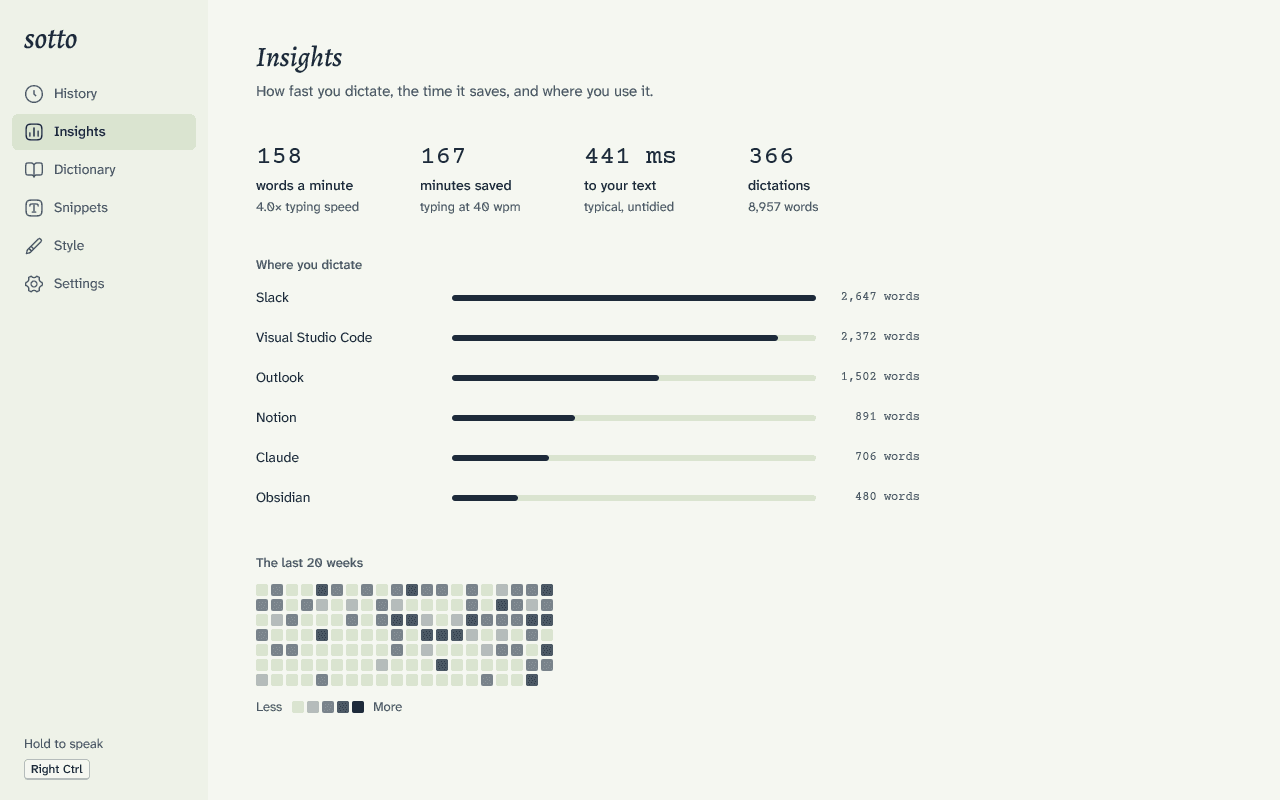
Two processes. The app is Rust on GPUI, Zed's GPU UI framework: a floating bar (the slip) that shows what it hears, a tray icon, and a Hub window for history, insights, a personal dictionary, snippets, per-app writing style, and tabbed settings. The engine is Python running the model on ONNX Runtime, with the global hotkey, microphone, transcription, tidy, and paste. They talk in JSON lines over stdin and stdout, and share settings as plain files the engine re-reads, so neither ever waits on the other; the engine exits the moment the app's pipe closes. A build script assembles a private Python with pinned packages and an Inno Setup installer that needs no admin rights.
Decisions
- The slip is a layered, click-through window that never takes focus and is never hidden, only empty, so showing it can't steal focus from the app you are dictating into.
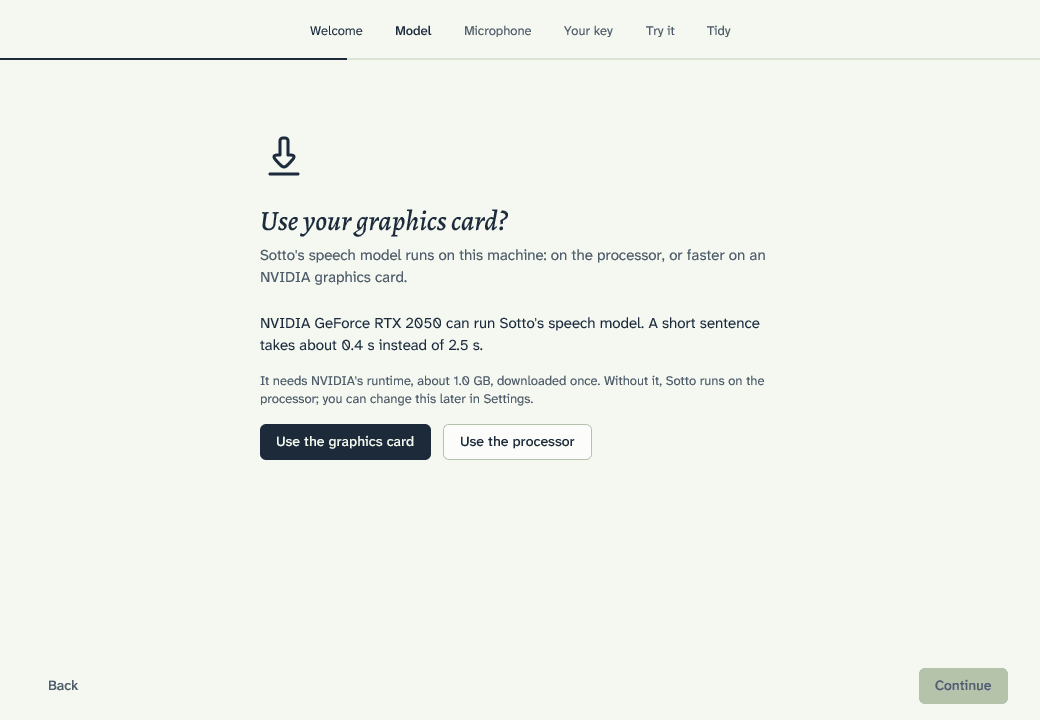
- It runs on the processor out of the box, and NVIDIA's runtime is an opt-in download for cards that can actually run the model, pinned to exact versions and checked against their SHA-256. That took the installer from 1.3 GB to 106 MB, and a short sentence from 2.5 s on the processor to 0.4 s on an RTX 2050 for those who choose it.
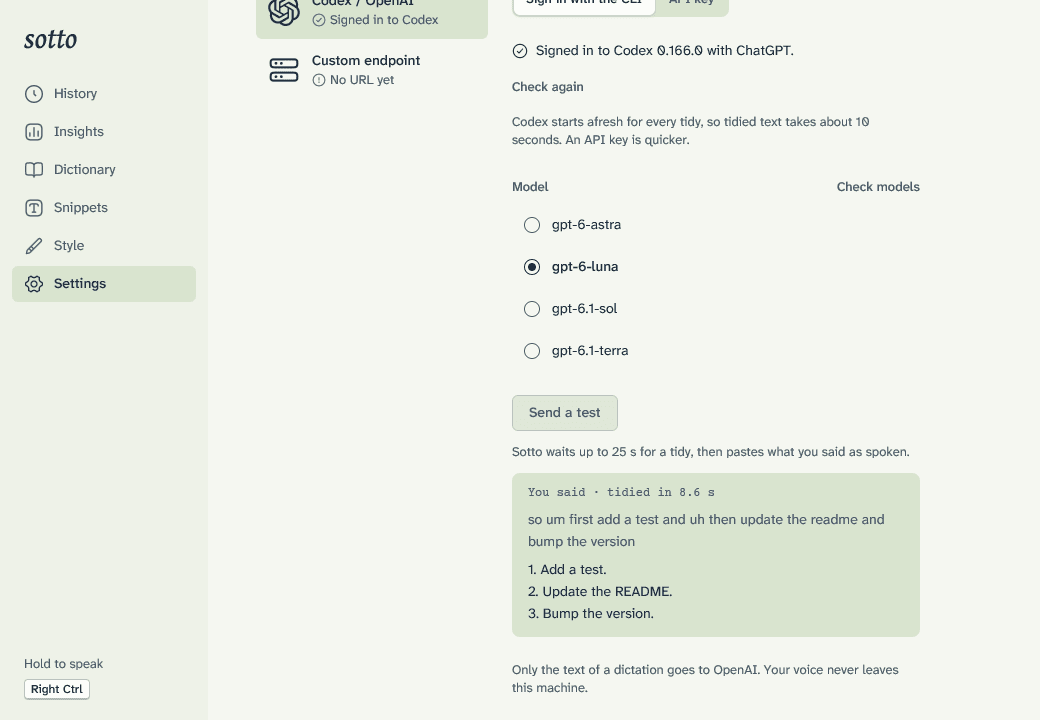
- Tidy uses the account you already have: Claude Code or Codex through your own CLI login, an Anthropic or OpenAI key kept in Windows Credential Manager, or your own OpenAI-compatible endpoint. Only the text goes out, never the audio. A long-lived Claude process brings a tidy down from about 6 s to 1.4 s.
- Every dictation is logged locally with its timings, so changes like live transcription were measured on my real speech rather than on a demo clip.
- Pasting goes through the clipboard and Ctrl+V, then restores what was there, because typing keystrokes is slow for long text and unreliable in terminals.
What went wrong
The first build pasted everything twice, because two copies of Sotto were running and both heard the hotkey; named mutexes now keep it to one. Testing the new download flow turned up a worse bug in the model downloader: when the connection dropped, the server could end the response early without an error, and the half-downloaded file was saved as complete. It now checks every file's size and resumes. Live transcription is English only, the Codex path takes around ten seconds a tidy because it starts a new process each time, and the installer isn't code-signed yet, so Windows SmartScreen warns on first run.
Lessons
Latency work is mostly about moving work, not making it faster: the model takes the same time either way, but doing it while you speak hides almost all of it. And shipping is its own engineering problem. The 1.3 GB installer worked perfectly, and it was still the wrong product until most of it became something people choose to download.