ADB and the silent earbuds
November 26, 2026
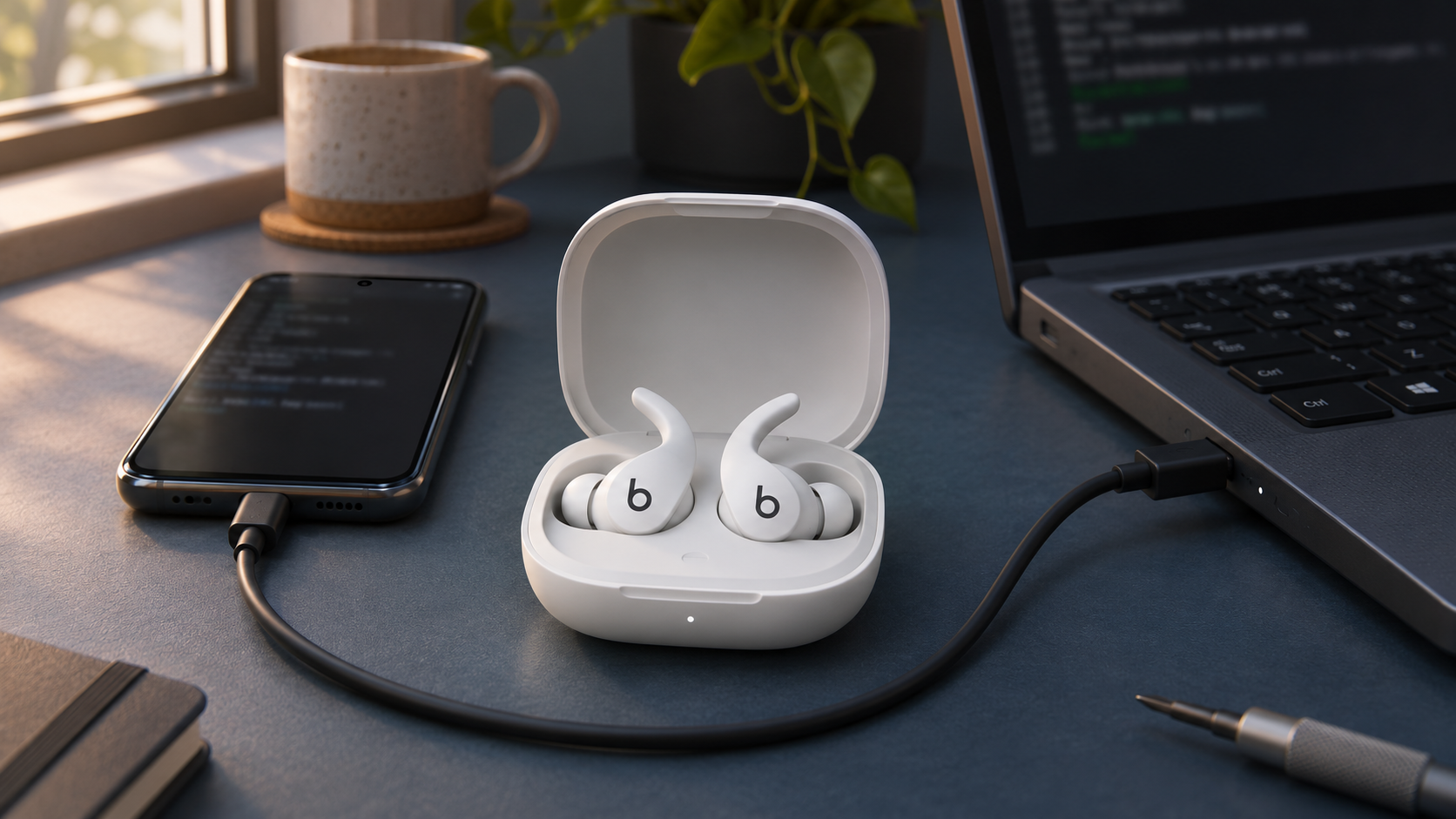
My first Windows prototype opened a Bluetooth connection to my Beats Fit Pro and got back silence. I could still play music. On my Redmi 13C, I could open the Beats app, tap Transparency and hear the room again. I had one pair of earbuds and two programs that appeared to have very different ideas about how to talk to them.
I was building FitsWise, a Windows tray app for the controls I kept reaching for on my phone. The tempting next step was to change what the prototype sent and try again. The phone gave me a better experiment. I could record a conversation in which I knew exactly when the setting had changed.
Two connections
There were two cables in my mental picture, though only one on the desk. USB connected the laptop to the phone. Bluetooth connected the phone to the earbuds. Android Debug Bridge, usually called ADB, gave me access to diagnostics on the USB side. Android's Bluetooth HCI snoop log recorded traffic between the phone's Bluetooth stack and its controller. Keeping those jobs straight mattered later. ADB could tell me the phone was available before I'd collected a single useful Bluetooth packet. Android's ADB guide and Bluetooth debugging guide
For a capture on my own phone, I'd start with Google's SDK Platform Tools, enable USB debugging, plug in a data cable and approve the laptop on the unlocked phone. With the tools on the shell's path, this is my first check.
adb devices -l
I look for the phone with the status device. If it says unauthorized, the next place to look is the permission prompt on the phone. Once the phone is available, I enable Bluetooth HCI snoop logging in Developer options and restart Bluetooth so the setting takes effect. Then I reconnect the buds to the phone. Platform Tools and AOSP capture instructions
A tap worth recording
The most useful part of the setup was deciding what to do with my hands. I turned off Bluetooth on the laptop for the recording so it couldn't take the earbuds back. With the buds in my ears, I opened the official app and left it alone for a few seconds. That quiet stretch gave me something to compare with the traffic after a tap.
The capture plan took noise control through cancellation, transparency and off, then repeated cancellation and transparency, with about ten seconds between changes. Repetition gave the second transparency tap a job. If a message appeared near the first tap, I had another place to look for it. A battery update happening nearby once would have made a poor basis for a Windows control.
I think writing down that sequence was worth more than collecting a longer recording. Four minutes covered the session. Another hour of ordinary listening wouldn't have told me which setting I'd touched at a particular second.
Getting the recording out
On the Redmi, Android blocked direct access to the Bluetooth log. The supported bug report route worked. From a local folder on the laptop, with one authorized phone connected, the collection command is short. Android bug report instructions
adb bugreport fitswise-capture.zip
The ZIP is a diagnostic bundle for the whole phone. I extracted the Bluetooth log locally and discarded the full report from the PC. On another Android build, I'd first look inside the archive for a BTSnoop log. If the capture is embedded in the report text, Android documents how to extract it with its btsnooz.py script. I'd check that the resulting capture covers the minutes I wrote down before spending time decoding it. AOSP extraction instructions
A short recording can still contain device identifiers and traffic from unrelated accessories. I'd disconnect those accessories before recording, switch snoop logging off afterward and keep the capture out of a public issue. The useful part for a contributor is usually a small, reviewed sample paired with a description of what the buds were doing. FitsWise contributor guide
The first reply
The phone used RFCOMM channel 1, the Bluetooth serial channel the Windows prototype had already opened. That narrowed the search considerably. I could stop changing the connection setup and compare the contents of a working message with what I'd sent.
The messages contained a length, a sequence number, an operation code, a payload and a checksum. The checksum gave me a way to check my reading of the recording before involving the earbuds again. All 104 frames I checked in that capture passed. That was evidence I'd identified the message boundaries and checksum correctly. I still needed a separate observation to assign meaning to any particular payload. FitsWise protocol notes
The payoff came on the laptop. Once the prototype used the observed format, it could read settings back from the same buds that had sat silent earlier. I could change the noise mode, listen and restore the original setting. The phone had done its job. Windows could now talk to the buds directly.
The disappearing right bud
A later bug showed me how much a valid message can leave unresolved. Both buds were seated in the open case. FitsWise showed a percentage for the left one. The right reading appeared when I lifted the bud out. By then the Windows app could log battery reports itself, so I could repeat that movement at my desk and compare reports from the device the app would actually ship on.
The parser was walking through groups of five bytes. One group near the end started with a value the parser recognized as the right bud. It interpreted the rest of that group as a battery reading and lost the good value it had already seen. With both buds seated, the group looked like this.
02 00 ff 02 02
A battery entry had a different marker in its second byte. This group held the case and seat state. The last two values tracked the left and right positions as I lifted each bud in turn. Once the parser treated those groups separately, it could retain the battery reading and animate the correct bud from the same report. The recorded examples now sit next to the parser tests. Battery and position parser
What a tap proves
Writing a control back to the earbuds introduced another distinction. With both buds in the case, they could acknowledge a noise mode command and keep their old mode. A green check in the UI at that moment would have described the Bluetooth exchange accurately and the earbuds inaccurately. The controller needed confirmation from the reported mode before the interface could settle on the new selection. Noise control findings
I'd keep those observations separate in a bug report. “The device answered” helps the person working on transport. “I was wearing both buds and heard transparency switch on” helps the person deciding what the button should show. If all I did was write back the existing setting, I'd say exactly that. It leaves the next person a concrete experiment to run.
Back at the desk
I think the best reason to reach for ADB in a hardware project is having a working example close at hand. The Redmi could do something the Windows prototype couldn't, and I could repeat that action on demand. A short capture settled which channel to use. Moving one earbud at a time later settled what five bytes meant. Each observation changed a different line of code.
The next time a connection opens and nothing answers, I'd start the same way. Put the buds in, write down the time and make one tap I can hear.